 DocBee · Free on Android · iOS coming soon
Shrink it, copy it,open anything
Shrink PDFs and photos to fit upload limits, make ID copies with the numbers hidden, and open HWP, PDF, DOCX, XLSX and ZIP files right on your phone. Your documents never leave the device.
Korean, English, Japanese and Indonesian · No sign-up
- Many formats in one app
- HWP · PDF · DOCX
- Fit any upload limit
- Down to 50KB
- Encrypted vault
- AES-256
- Everything stays on your phone
- No sign-up
Documents you need to send,ready the way they ask
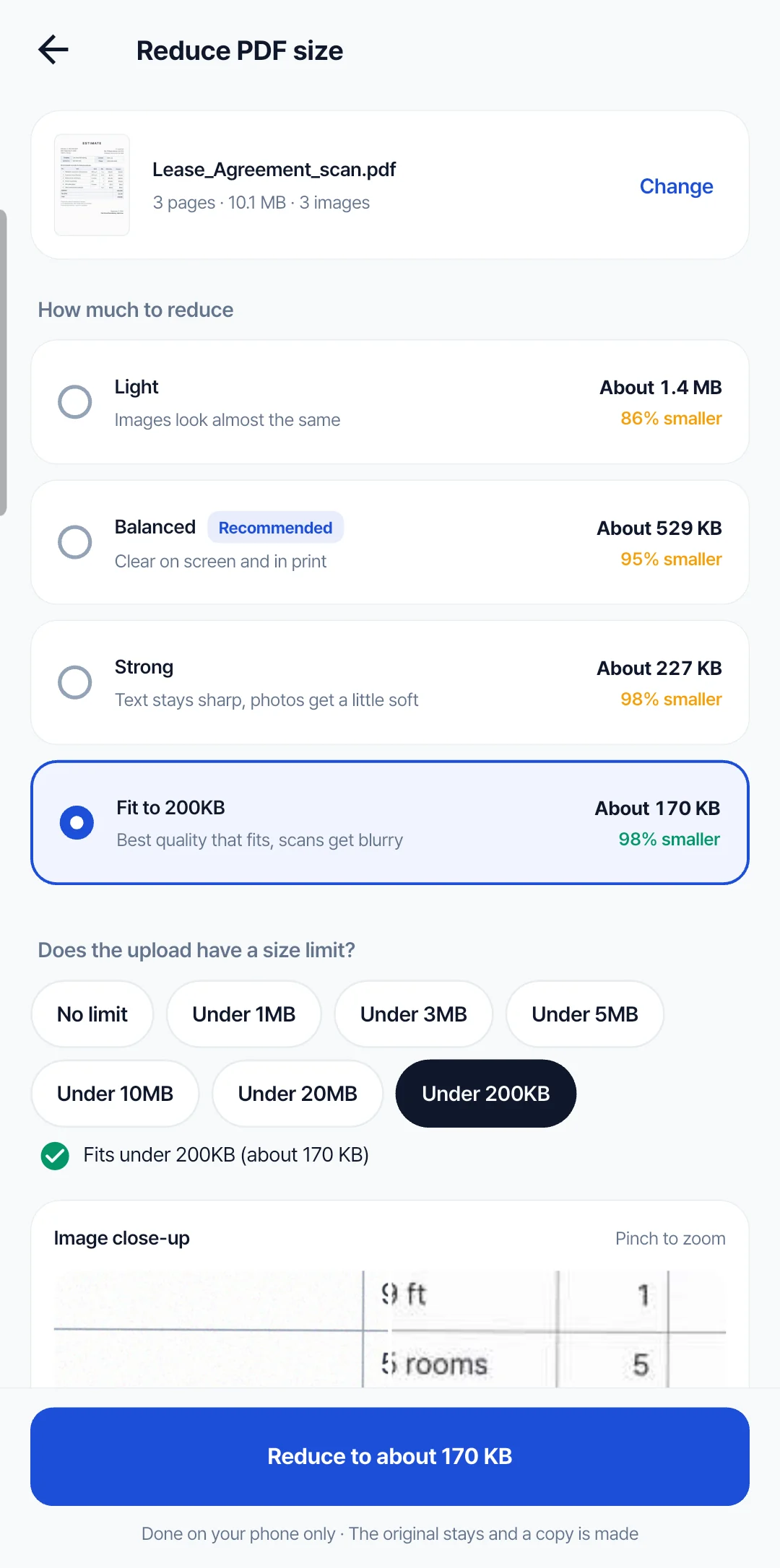
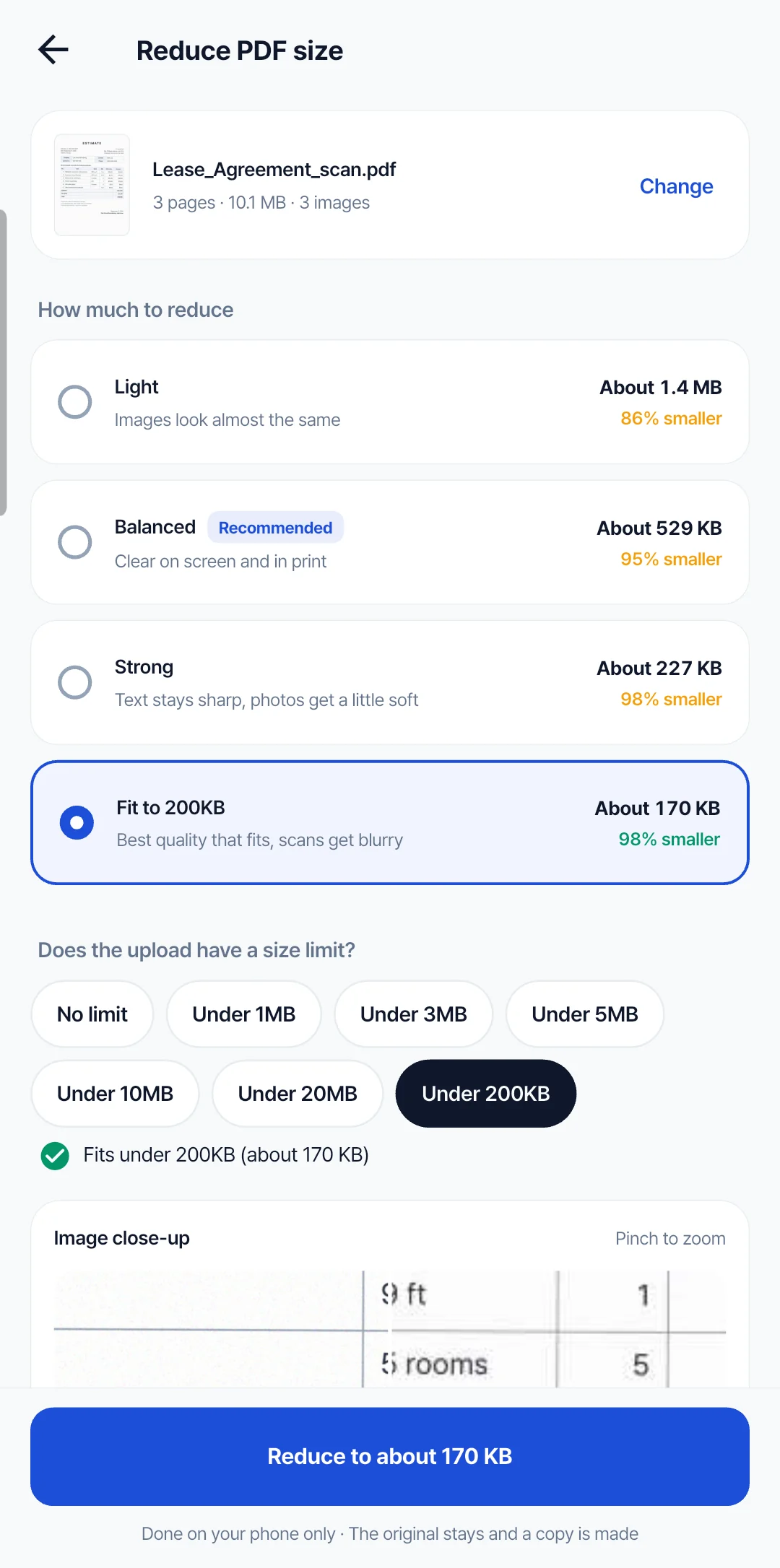
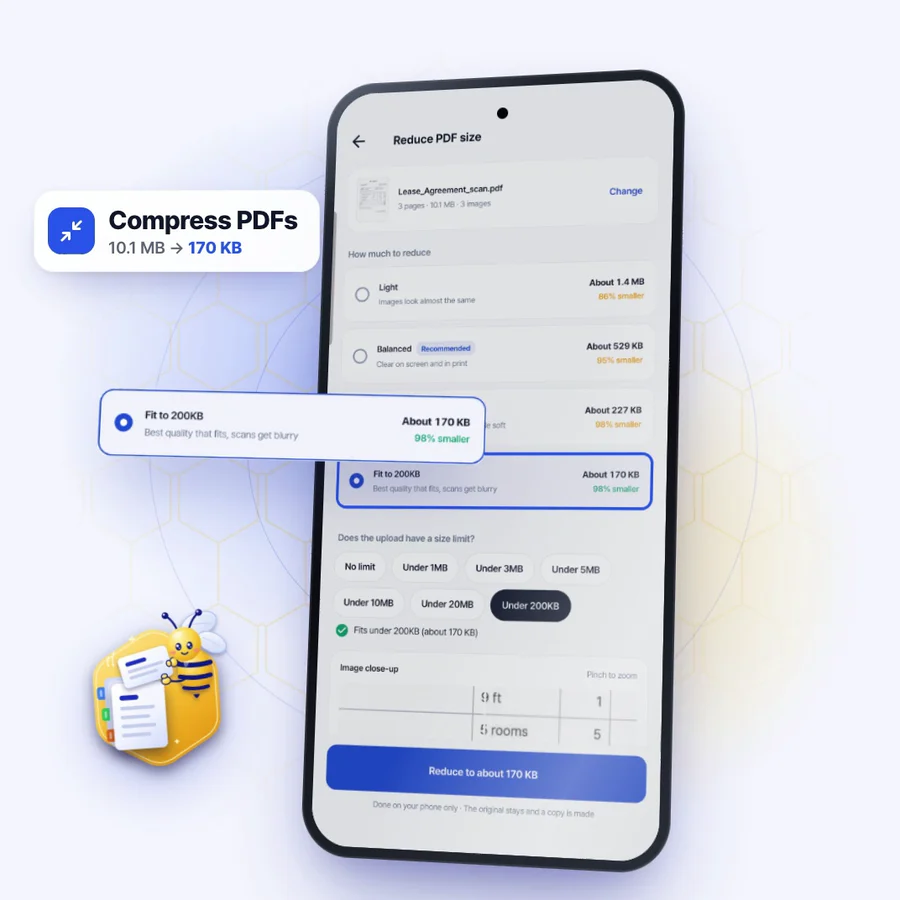
Shrink PDFs to any size limit
Pick a limit like “Under 1MB” and it finds the best quality that fits.
- Light, balanced or strong, with the new size shown before you start
- Only images are recompressed, so text, tables and fonts stay sharp
- Still too big? It splits into files under the limit
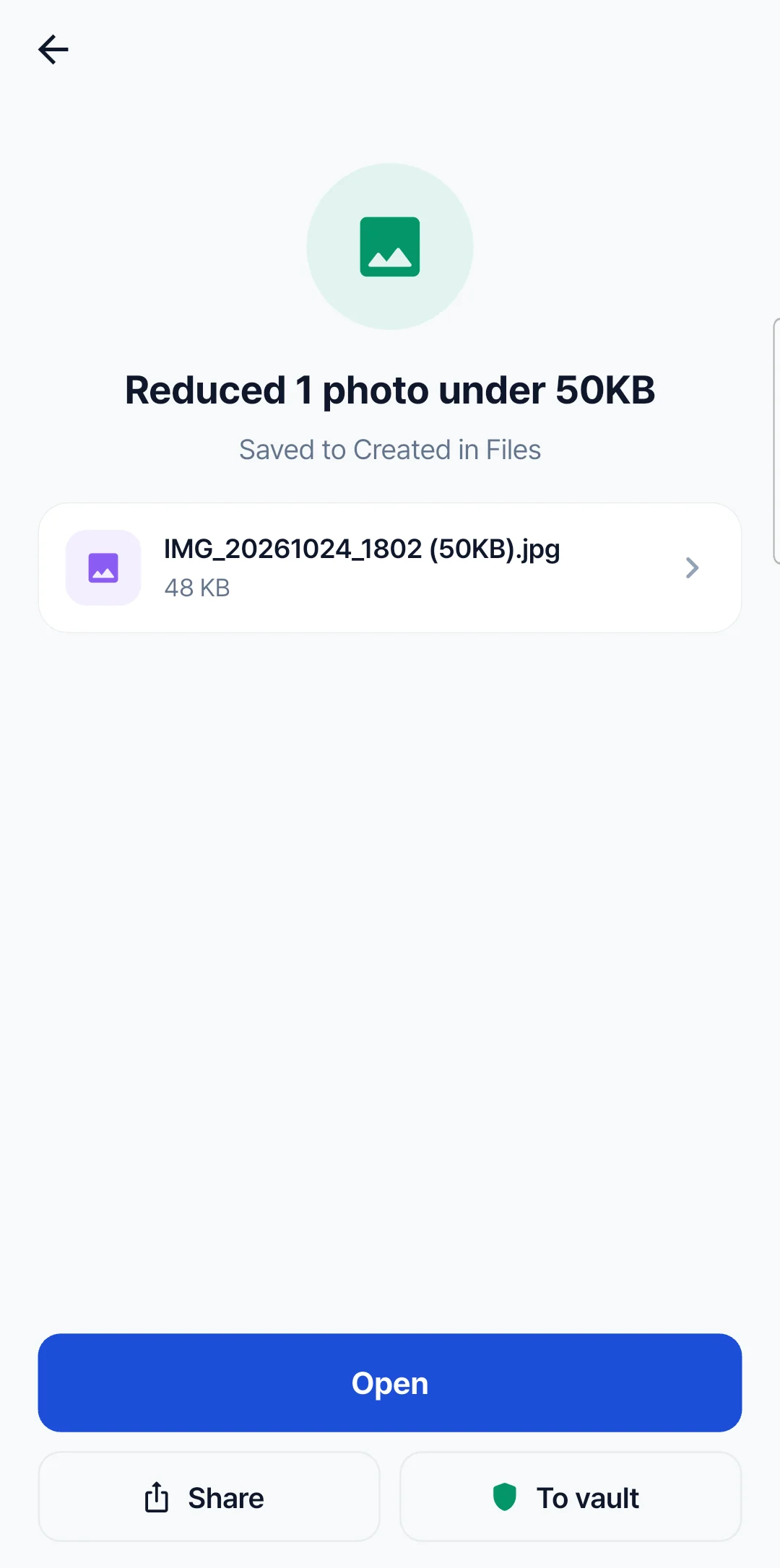
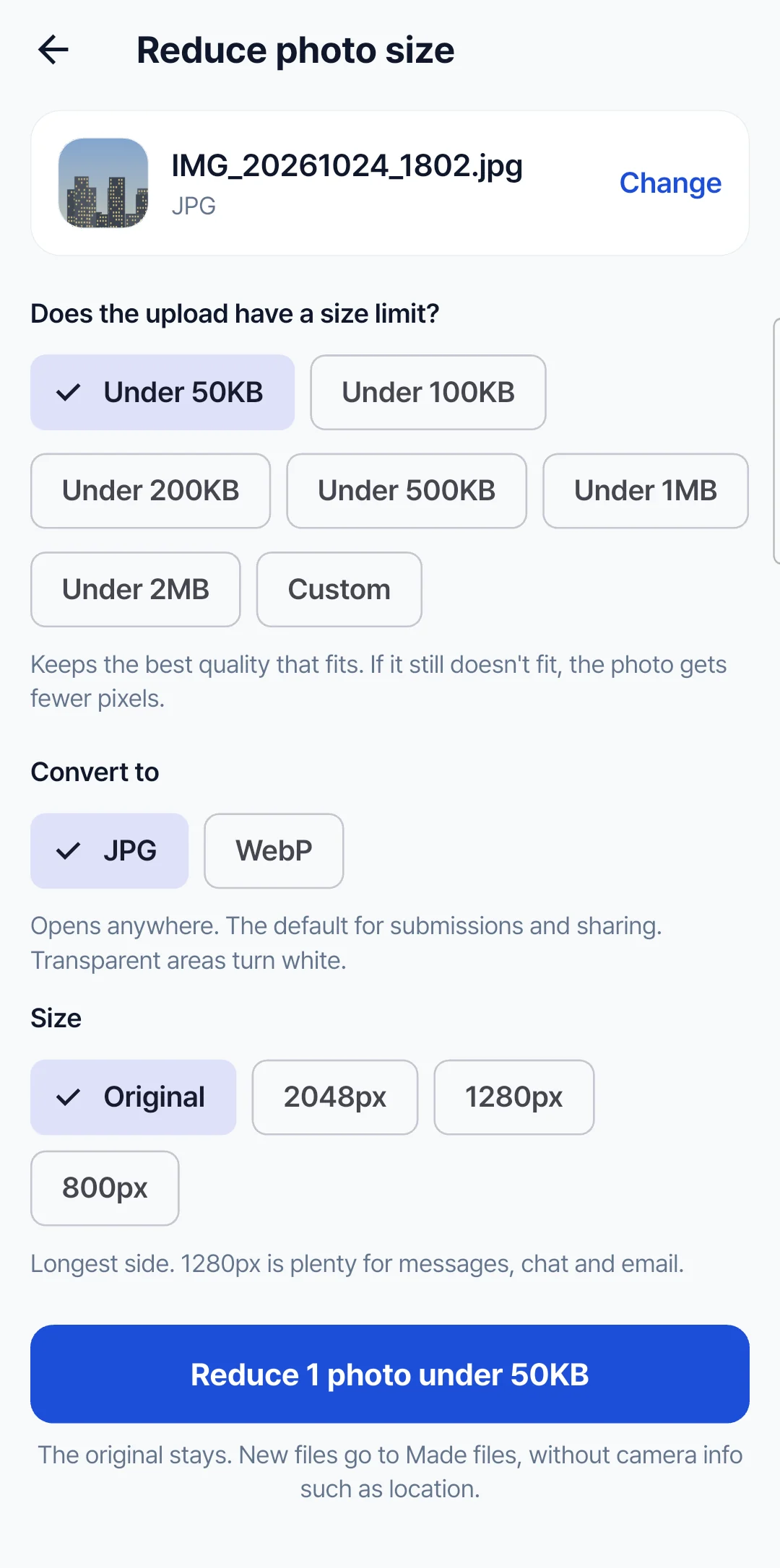
Photos under 50KB
Resize photos to the exact size a website or form asks for.
- Under 50KB, 100KB, 200KB, or type your own
- Keeps the best quality that fits the limit
- The size goes in the file name, and the original stays
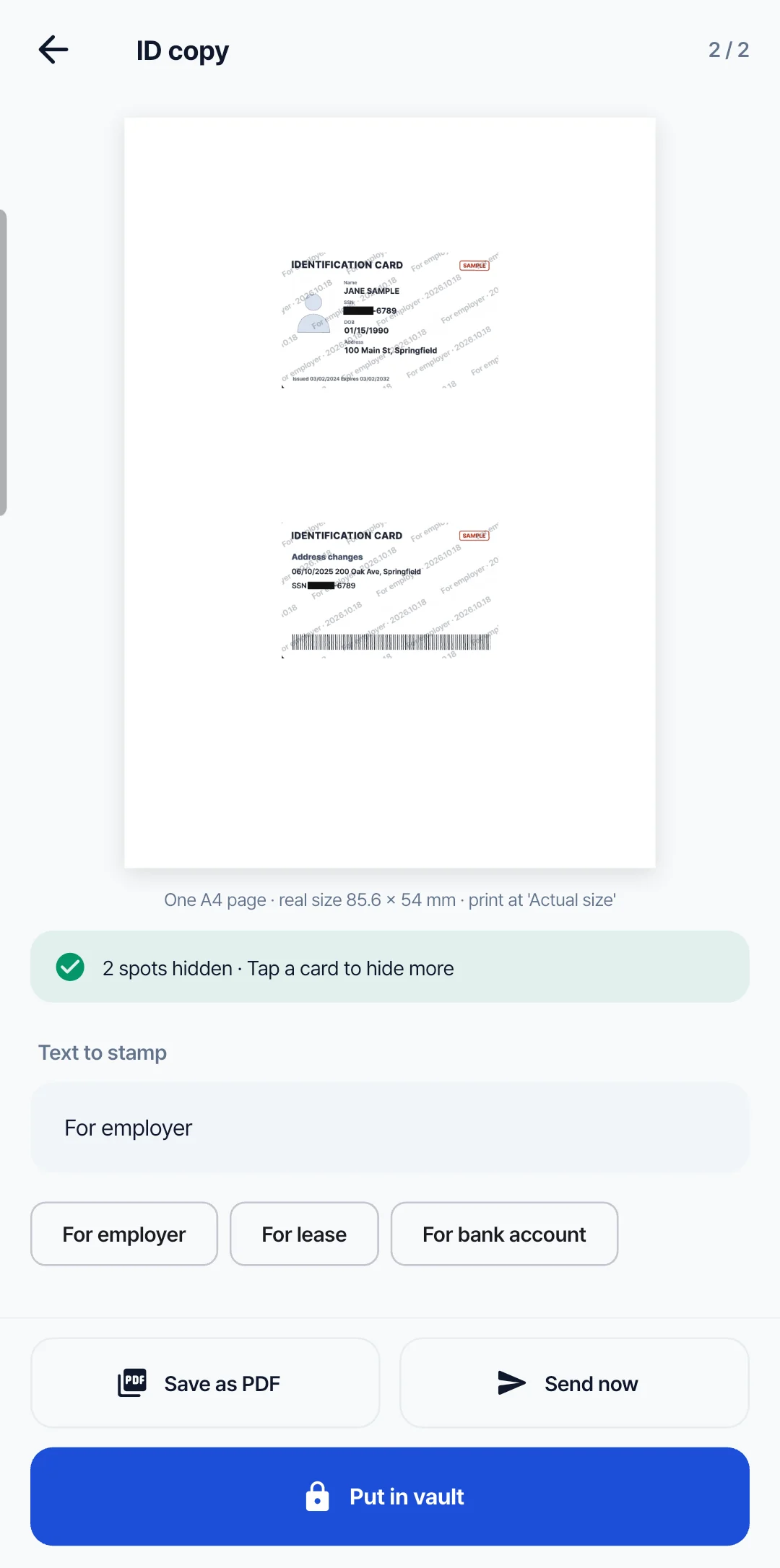
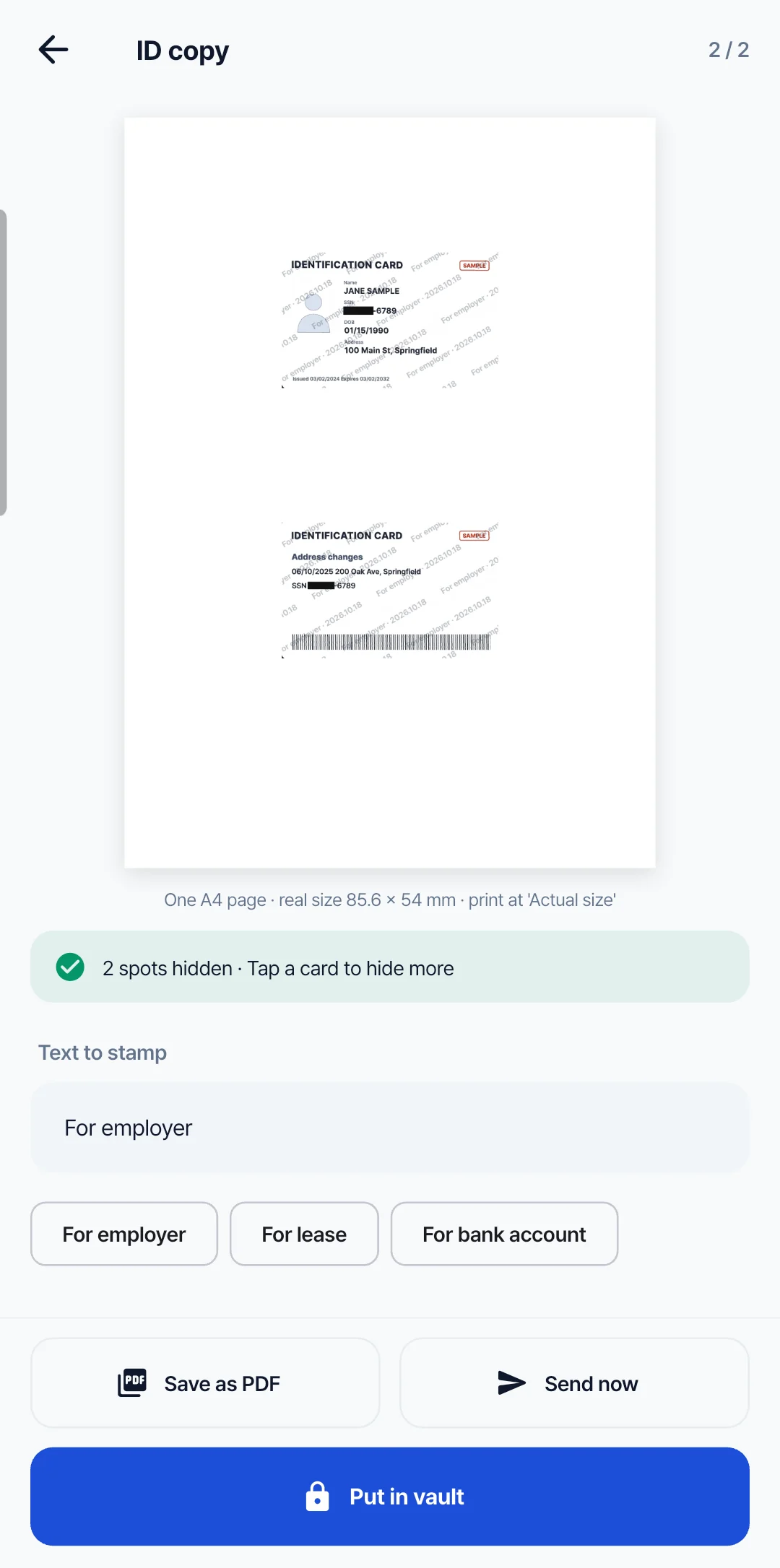
ID copies with numbers hidden
Snap the front and back, and both fit one A4 page at real size, ready to print.
- ID and card numbers are hidden for you
- Stamp the purpose, like “For employer”
- Save it as a PDF or send it right away
From signing to scanning, in one app
Finish what needs doing before you send, without another app.
Sign and edit
Add signatures, highlights, text, checks and dates. Page numbers, merge, split and reorder too
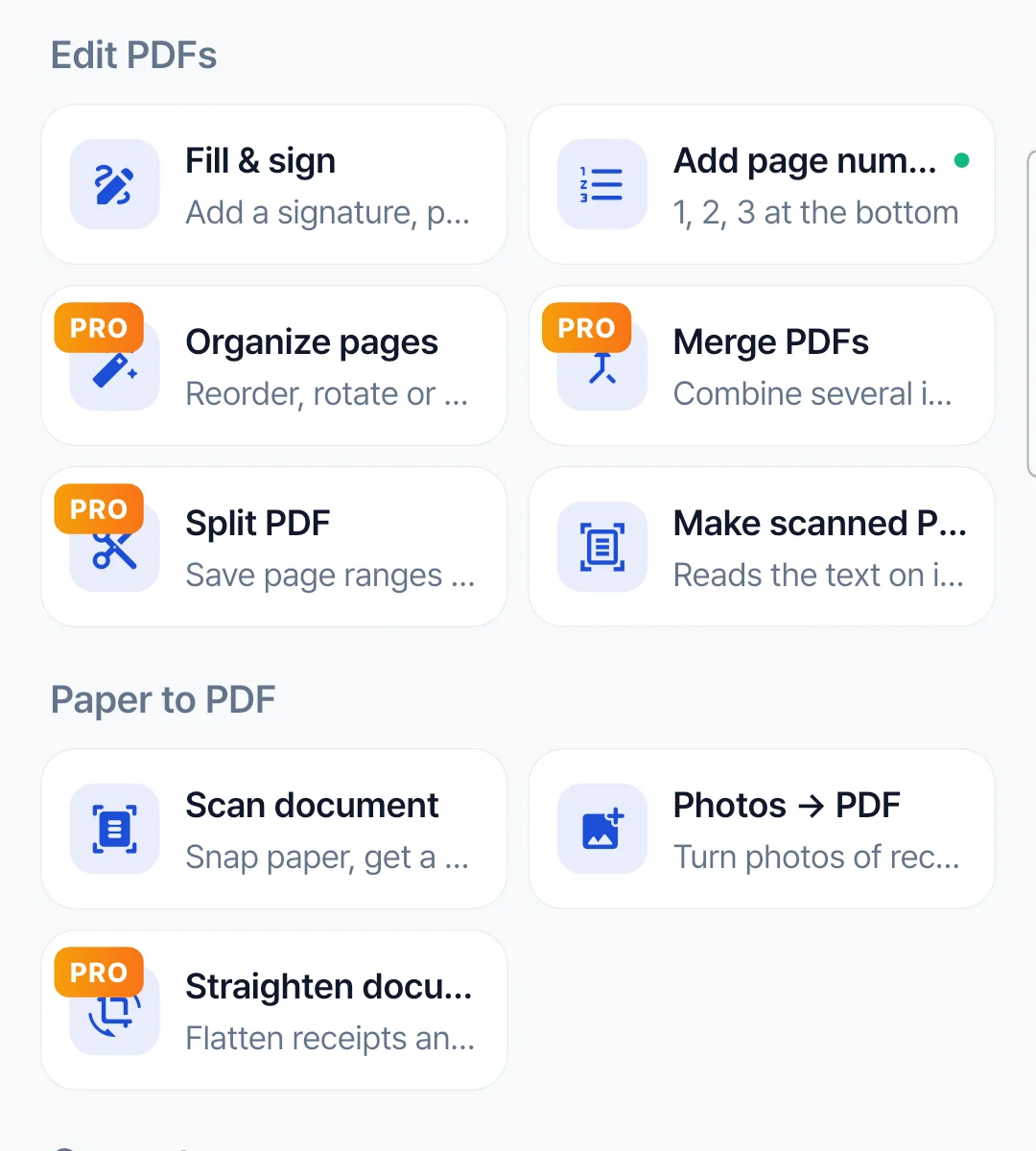
Scan and convert
Snap paper into a straight PDF. Photos to PDF, and PDFs to editable DOCX and XLSX
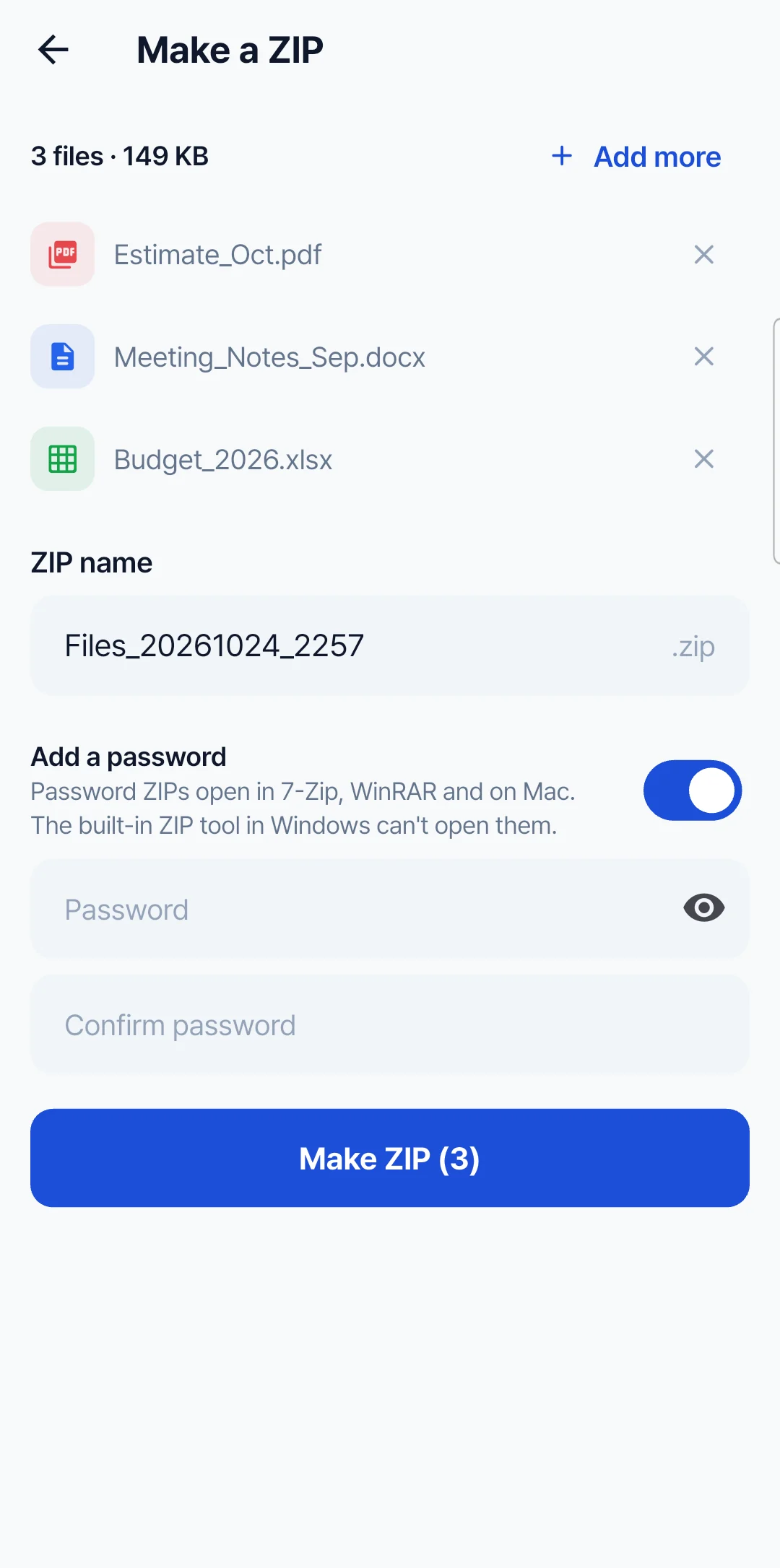
Zip and lock
Bundle files into one ZIP with a password. Lock and unlock files too
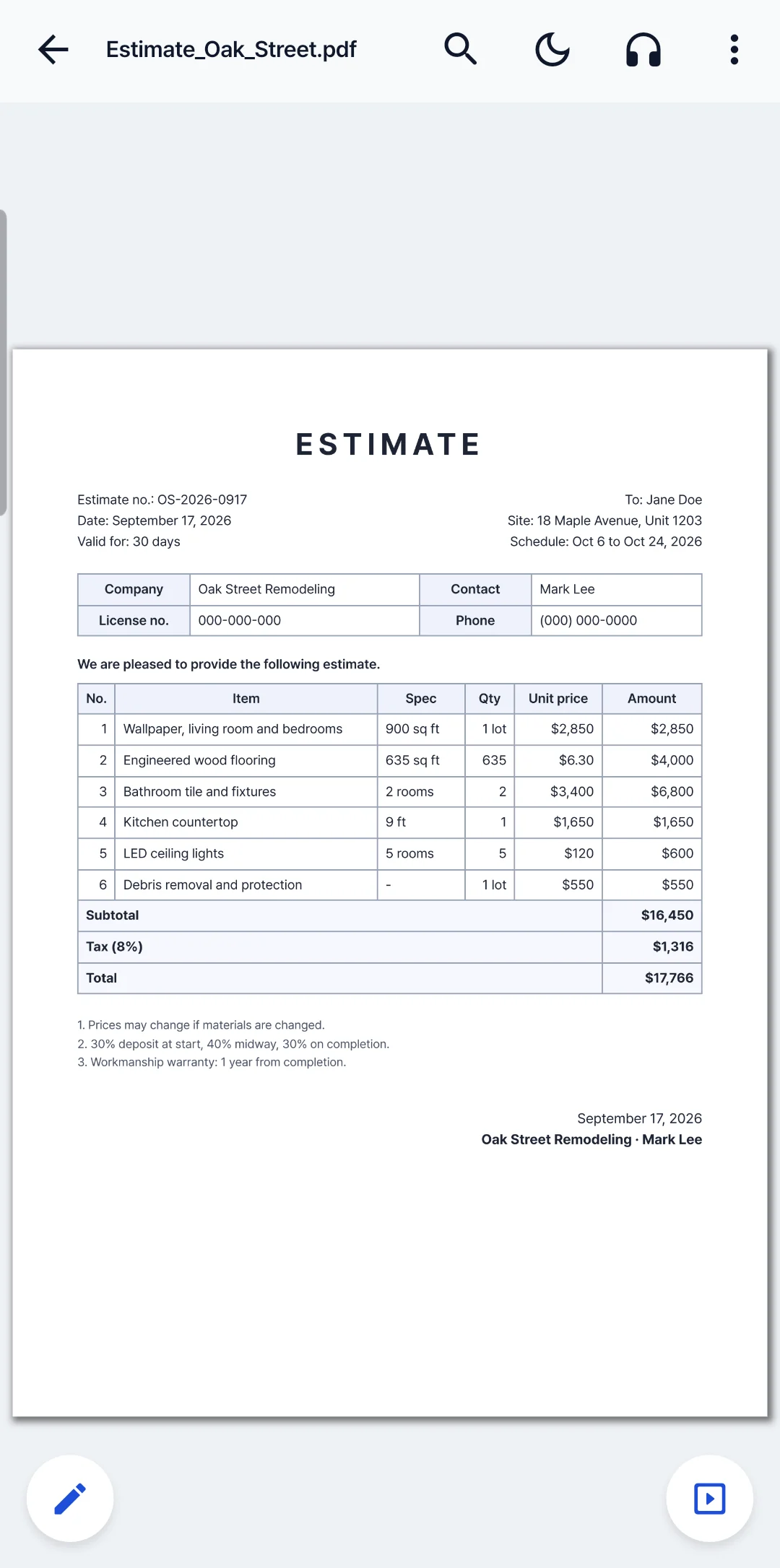
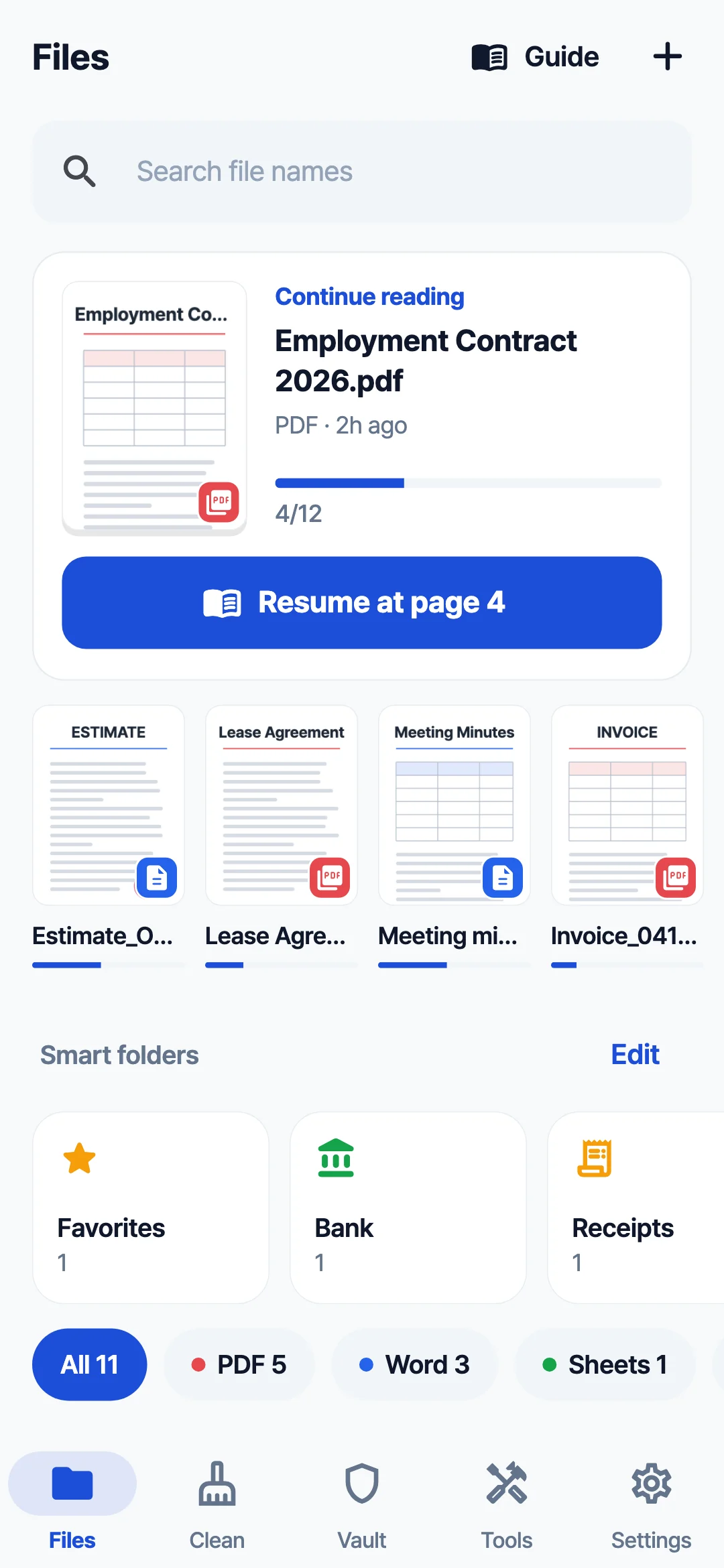
Any file you get, it just opens
HWP, PDF, DOCX, XLSX and PPTX, even ZIP and RAR, right on your phone.
- Share from a messenger or email and it is sorted by type
- Pick up where you left off, search inside, night mode
- EPUB e-books, videos and audio play too
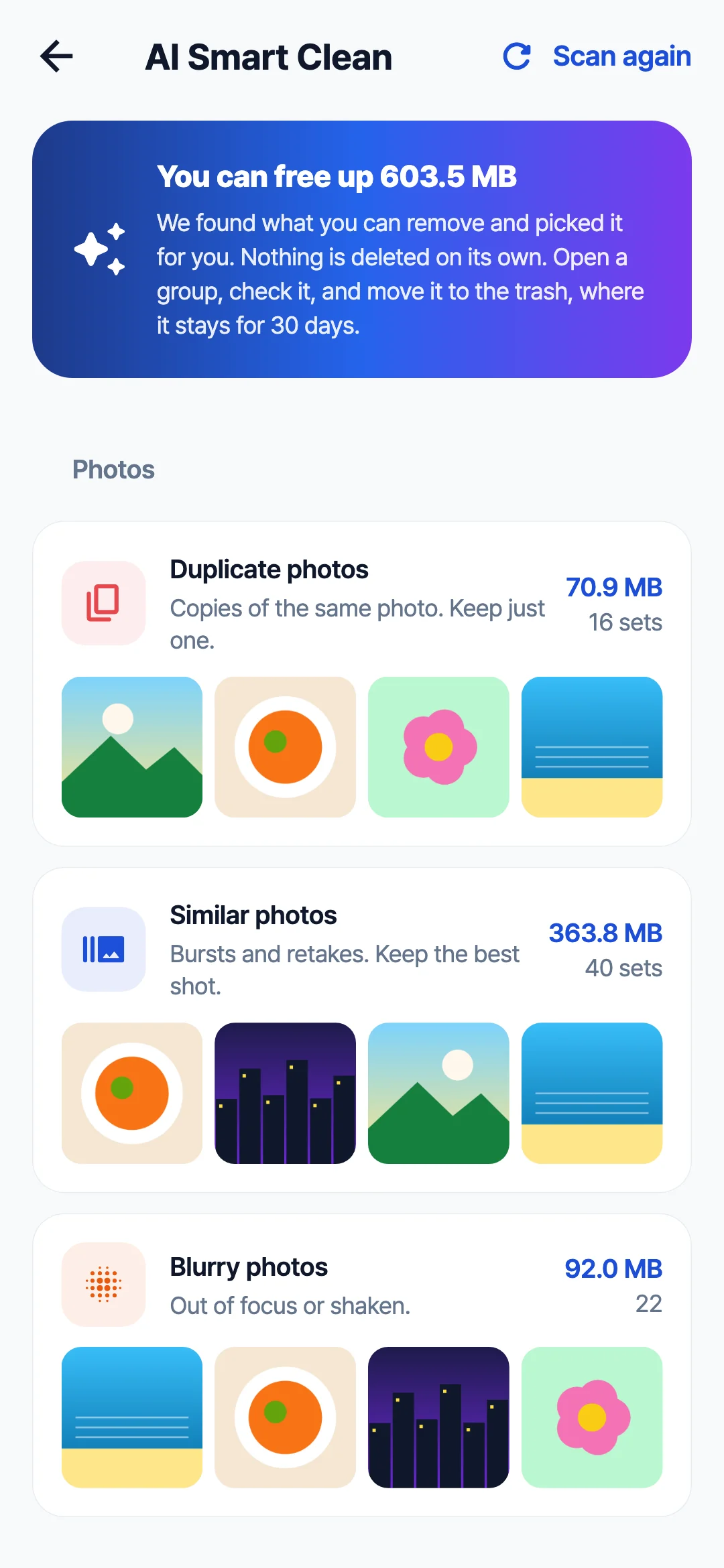
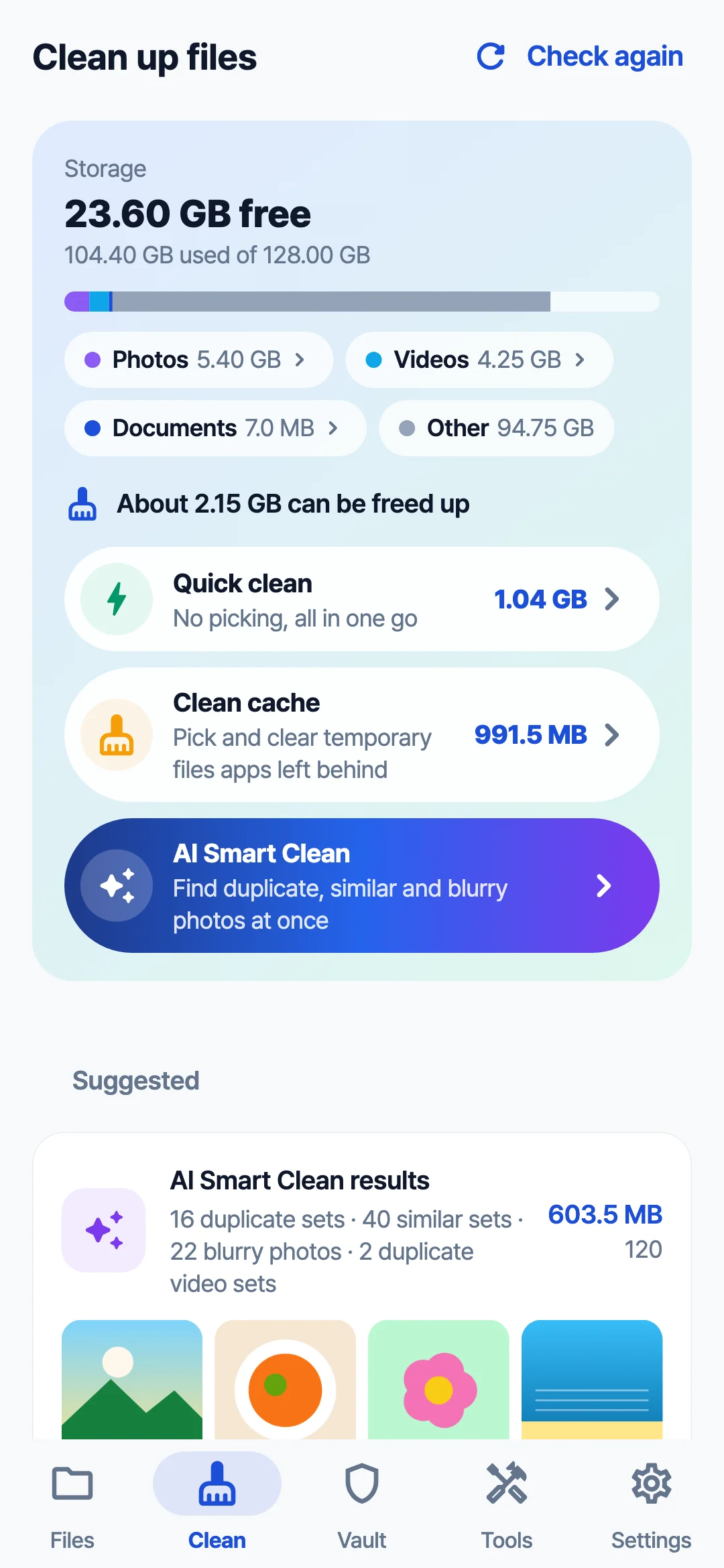
Clear photos, get space back
It finds similar, blurry and duplicate photos and keeps the best shot in each group.
- See how much space each cleanup frees
- Compress photos and videos, find large files
- Nothing is deleted on its own, and the trash keeps them 30 days
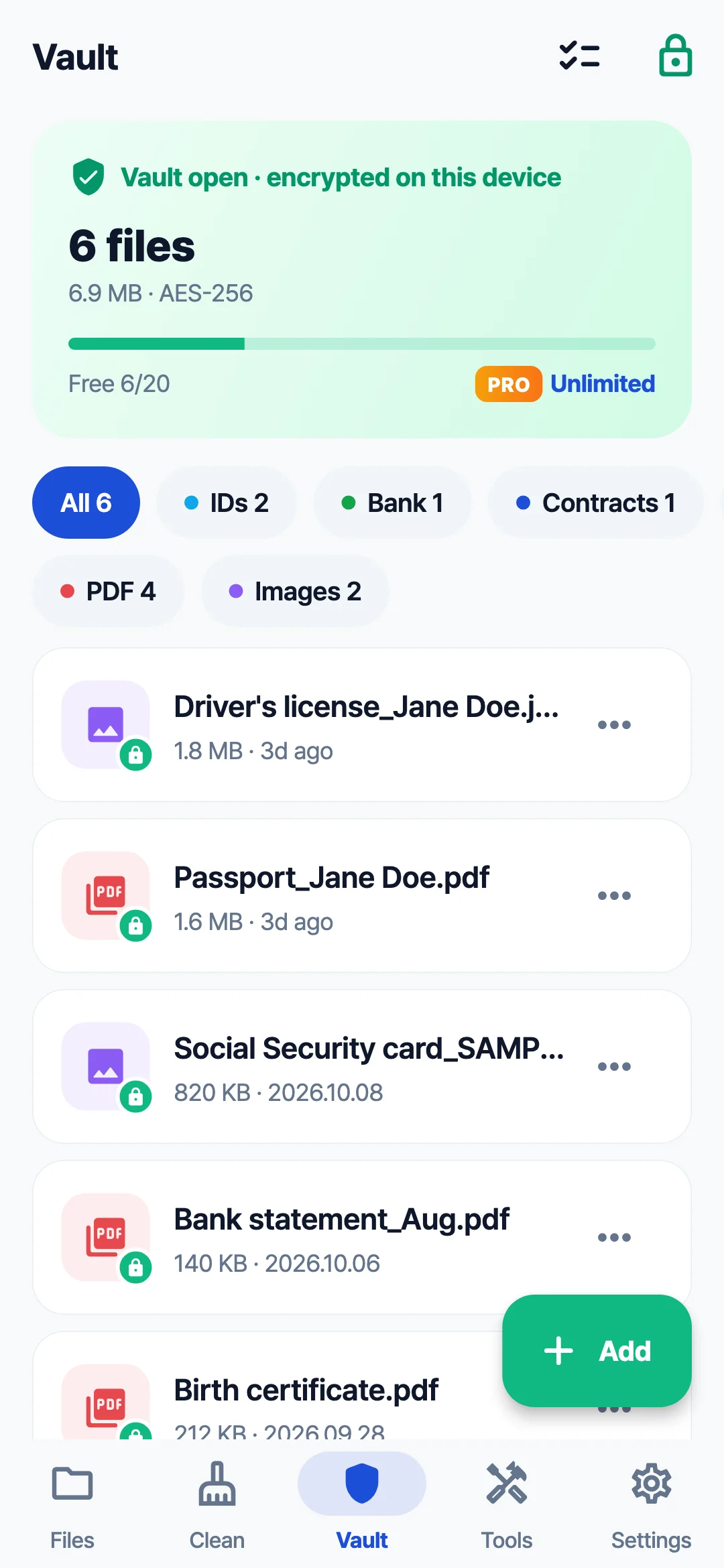
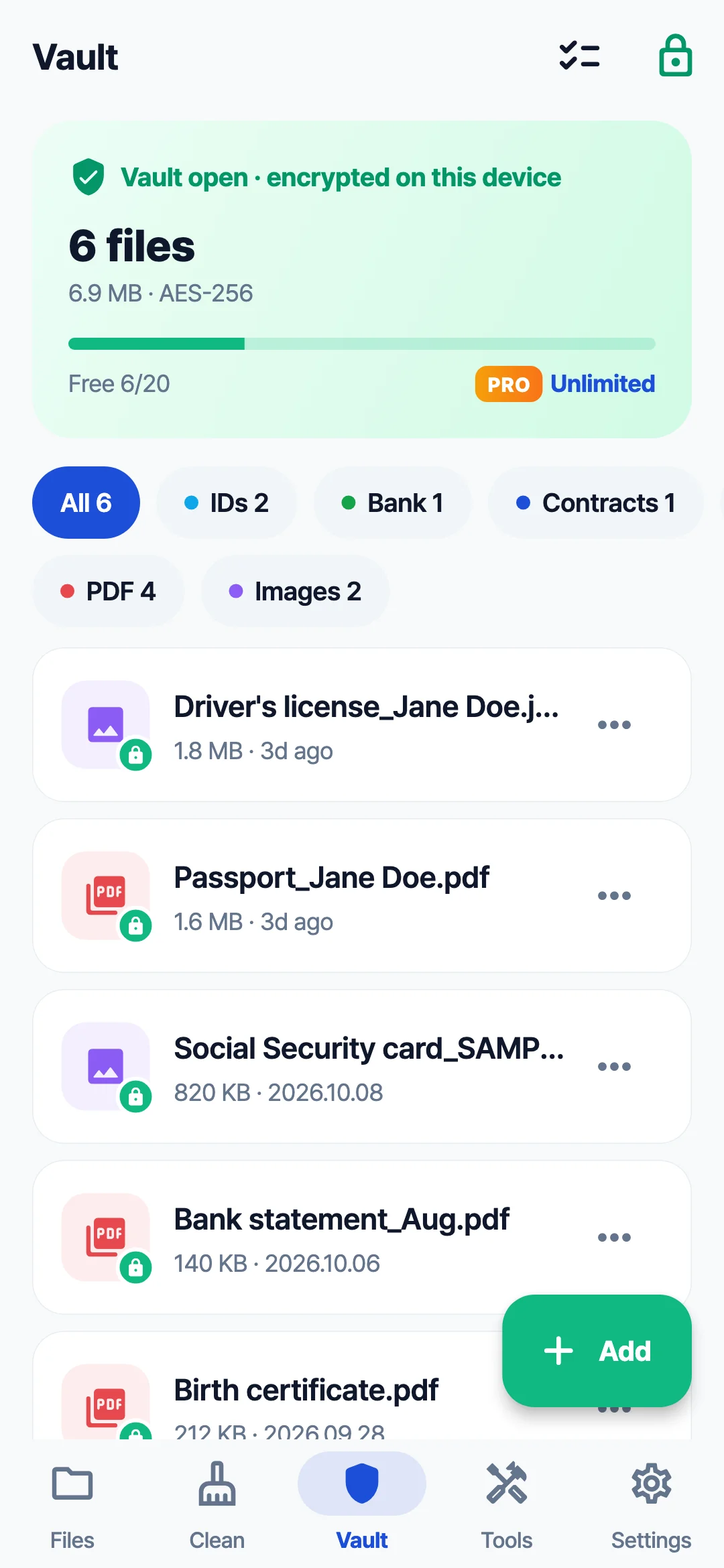
Important files go in an encrypted vault
IDs, bank papers and contracts are encrypted with AES-256 and open only with your PIN or fingerprint.
- Hidden in the app switcher, and screenshots are blocked
- Vault backup moves everything to your next phone
- Secure envelope: set how many times and how long it can be opened, and take it back
Your documentsstay on your phone
- There is no sign-up.
- Documents, photos, vault files and the text in your photos never leave the device.
- Viewing, compressing, converting, cleaning up and text recognition all happen on your phone.
Is it free?
The basics are free. Pro removes ads and lifts the vault and daily tool limits. It comes as a yearly subscription or a lifetime pass.
Are my files uploaded anywhere?
No. Viewing, compressing, converting, cleanup and text recognition all run on your phone, and documents, photos and vault files never leave it. There is no sign-up either.
Which files can it open?
PDF, HWP and HWPX, DOCX and DOC, XLSX, XLS and CSV, PPTX and PPT, text, RTF, ODT, EPUB e-books, Markdown, email (EML), and ZIP, RAR and 7z.
Does compressing change the original?
No. The original stays and a new file is made. Resized photos get the size in their name, so you upload the right one.
What happens to the vault on a new phone?
Make a vault backup and restore it on the new phone, just as it was.
Is it on iPhone?
The iPhone version is coming soon. For now it is on Google Play.
Get your documents ready,all in DocBee
Free on Android · iOS coming soon